TTrbf files from example project gives Error while booting
Added by Talha Tahir about 2 months ago
Hi! I’ve received a MitySBC-Agilx5 critical link board. Following are the board details:
Model : A5ED-B94-C7F-RC-SBC
Part Number (written on the agilx-5 SOC) : A5ED065BB32AI4S
I bought the dev kit so it came with the complete board setup and pre-booted SD card. The SD card already has an FPGA design (.rbf file) in it named a5e.core.rbf inside the lib/firmware directory of the linux filesystem. I’ve tested the following scenarios:
Scenario 1 : I used the original pre-built board and SD card. The board successfully booted up.
Scenario 2 : Built the example a5e.core.rbf file myself using the guidelines given in the recommended build flow for MitySBC ( [[https://support.criticallink.com/redmine/projects/mitysbc_a5/wiki/Building_fpga_261pro]]). I followed all the steps given in the link for creating the .rbf file and used Quartus 26.1 as mentioned. My board model number was not available in the github repo ( [[https://support.criticallink.com/gitweb/?p=mitysbc-a5-ref.git;a=tree;h=refs/heads/pro_26.1_stable;hb=refs/heads/pro_26.1_stable]] ) i.e., A5ED-B94-C7F-RC-SBC so I used this model number example instead A5ED-B94-C7F-RC-SBC-X from the repo and build the a5e.core.rbf file successfully using the mitysbc-a5e-ref-base example design (https://support.criticallink.com/gitweb/?p=mitysbc-a5-ref.git;a=tree;f=A5ED-B96-C7F-RC-SBC-X/mitysbc-a5e-ref-base;h=a20fd6e7743941e93389af6748492d32e7fd24dc;hb=refs/heads/pro_26.1_stable). I replaced the original a5e.core.rbf file from the pre-loaded SD card with this newly created .rbf file inside lib/firmware directory to test whether this custom .rbf file works or not. I started the board but it gave the following error and didn’t boot up:
U-Boot SMC: Error sending bitstream!
SDM: Config status: (0xf0040000)
SDM Err: Bitstream element not understood. Internal error.
Catchall Error.
Command 'load' failed: Error 4
FPGA not ready. Bridge reset aborted!
- a5e.core.rbf
- u-boot.itb
- boot.scr
- mitysom-image-base-mity-a5e.rootfs.tar.gz
And using the above 4 files, I generate the sd_card.img file. I tried to flash this newly created SD card image but got the .rbf file error again:
U-Boot SMC: Error sending bitstream!
SDM: Config status: (0xf0040000)
SDM Err: Bitstream element not understood. Internal error.
Catchall Error.
Command 'load' failed: Error 4
*** FPGA configuration failed, not continuing the boot ***
*** Fix the RBF in /lib/firmware and reset, or boot by hand ***
Scenario 4 : I used my custom created SD card image from scenario 3 and replaced the custom .rbf file with the original a5e.core.rbf file from scenario 1 which was present in the pre-loaded SD card. This one works perfectly fine similar to scenario 1 i.e., my complete custom build with the original a5e.core.rbf file from the pre-loaded original SD card image. This confirmed that the issue is indeed in the custom .rbf file.
Scenario 5 : I created a very small example using Quartus 26.1 using my device part number (A5ED065BB32AI4S). It is a very basic platform design of clk,reset, 1 bit GPIO and generated I its .rbf file successfully. I placed this custom .rbf file in the original pre-build SD card image inside lib/firmware directory but got the same error as scenario 2:
U-Boot SMC: Error sending bitstream!
SDM: Config status: (0xf0040000)
SDM Err: Bitstream element not understood. Internal error.
Catchall Error.
Command 'load' failed: Error 4
FPGA not ready. Bridge reset aborted!
Scenario 6 : I tried the prebuild a5e.core.rbf files available under the files tab on critical link website ( [[https://support.criticallink.com/redmine/projects/mitysbc_a5/files]] ) for Quartus Pro 25.3.1 20260310, Quartus Pro 25.3 20251217, Quartus Pro 24.2 20241119 and A5ED-B96-C7F-RC-SBC-X Quartus Pro 26.1 20260809. Tried all 4 i.e., copied them in the /lib/firmware/ folder of the original SD card image but all 4 of them didn’t work and gave the same error as scenario 2 and 5:
U-Boot SMC: Error sending bitstream!
SDM: Config status: (0xf0040000)
SDM Err: Bitstream element not understood. Internal error.
Catchall Error.
Command 'load' failed: Error 4
FPGA not ready. Bridge reset aborted!
So the main issue is that I’m not able to program the FPGA for my MitySBC board. No matter how basic and small the .rbf file I use, it gives me errors. Can you please provide me with some example build flow for my specific board i.e., A5ED-B94-C7F-RC-SBC as in the github repo no example of this specific board is available or can you please identify my mistake.
Here I've also attached the complete terminal log of the error I received from scenario 2, 5 and 6.
| error_log.txt (32.1 KB) error_log.txt | Error log I get when I use rbf file apart from the pre-build rbf file in SD card. |
Replies (3)
MW RE: rbf files from example project gives Error while booting - Added by Michael Williamson about 2 months ago
Hello,
The likely issue is that you need to reprogram the SDM and uBoot portion of the bitstream in the SPI NOR FLASH.
There can be an issue where the SDM / and initial bitstream build must match the targeted core.rbf file. If they don't match, the core.rbf bitstream will not lead.
This this link from Altera about the HPS IO Hash Compatibility for more information.
See this page for programming the SPI NOR FLASH (jic file). You need to do this as well as copy over the rbf file into the /usr/lib/firmware (or /lib/firmware) area.
With regards,
Mike
TT RE: rbf files from example project gives Error while booting - Added by Talha Tahir about 2 months ago
Thank you for pointing out the issue. The link suggests to program the QSPI NOR via Altera USB-II Blaster.
In the dev-kit I didn't receive any Altera USB-II Blaster. I only received the board, power supply and it's cable, ethernet cable, mircoUSB cable for console output and a fully loaded SD card.
It will take me a couple of days to acquire an Altera USB-Blaster II. In the meantime, is there any supported/documented procedure to access and update the QSPI NOR flash directly via HPS running linux?
Apart from that, I currently have an Atmel-ICE Programmer/Debugger (Model: A09-2096/06) along with its SAM JTAG breakout adapter board (attached images below). Since I do not currently have the USB-Blaster II on hand, is it possible to use this Atmel-ICE programmer with Quartus to flash the .jic file onto the board, or is an official Altera USB-Blaster II strictly required for JTAG programming on this board?
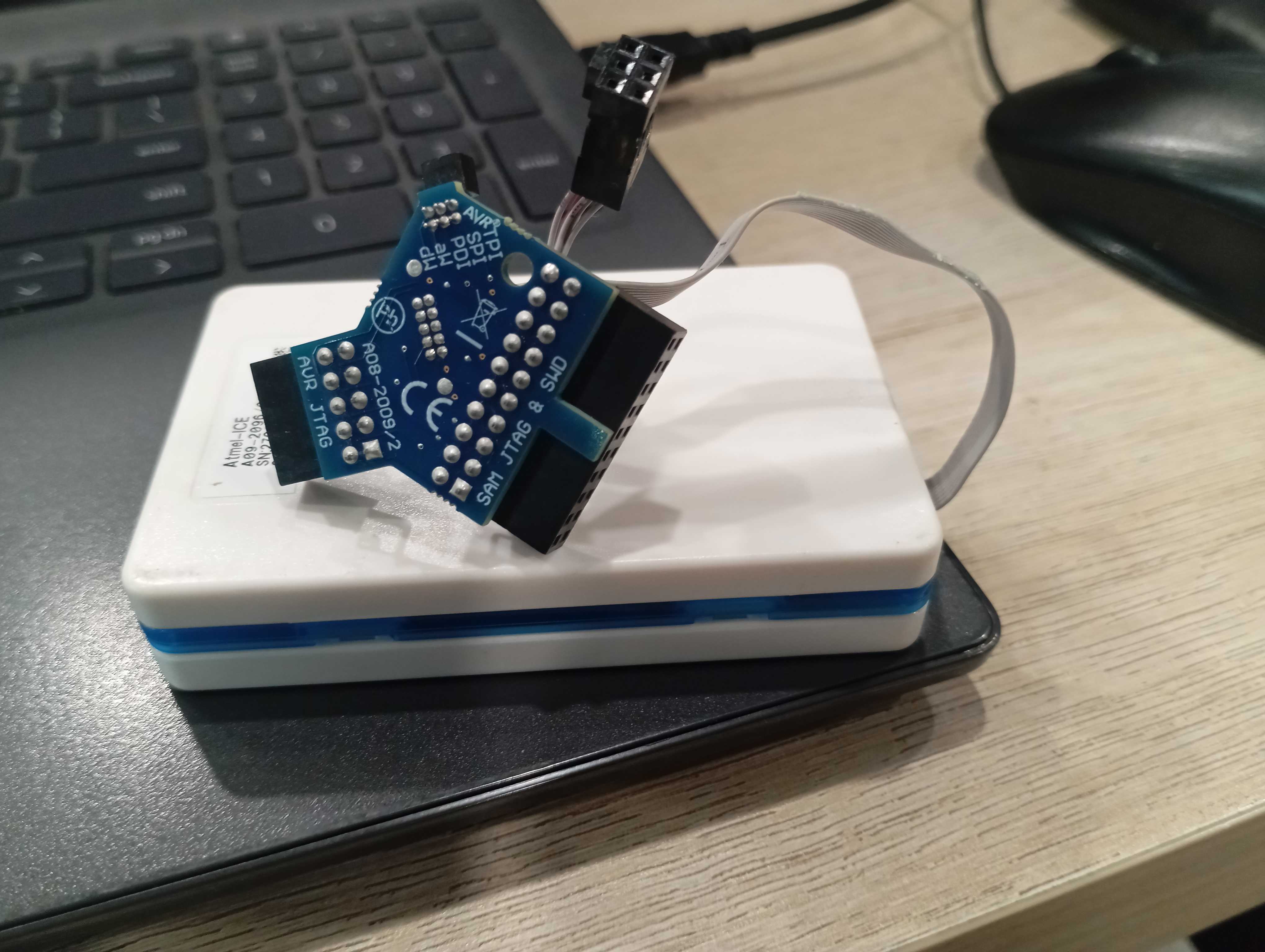
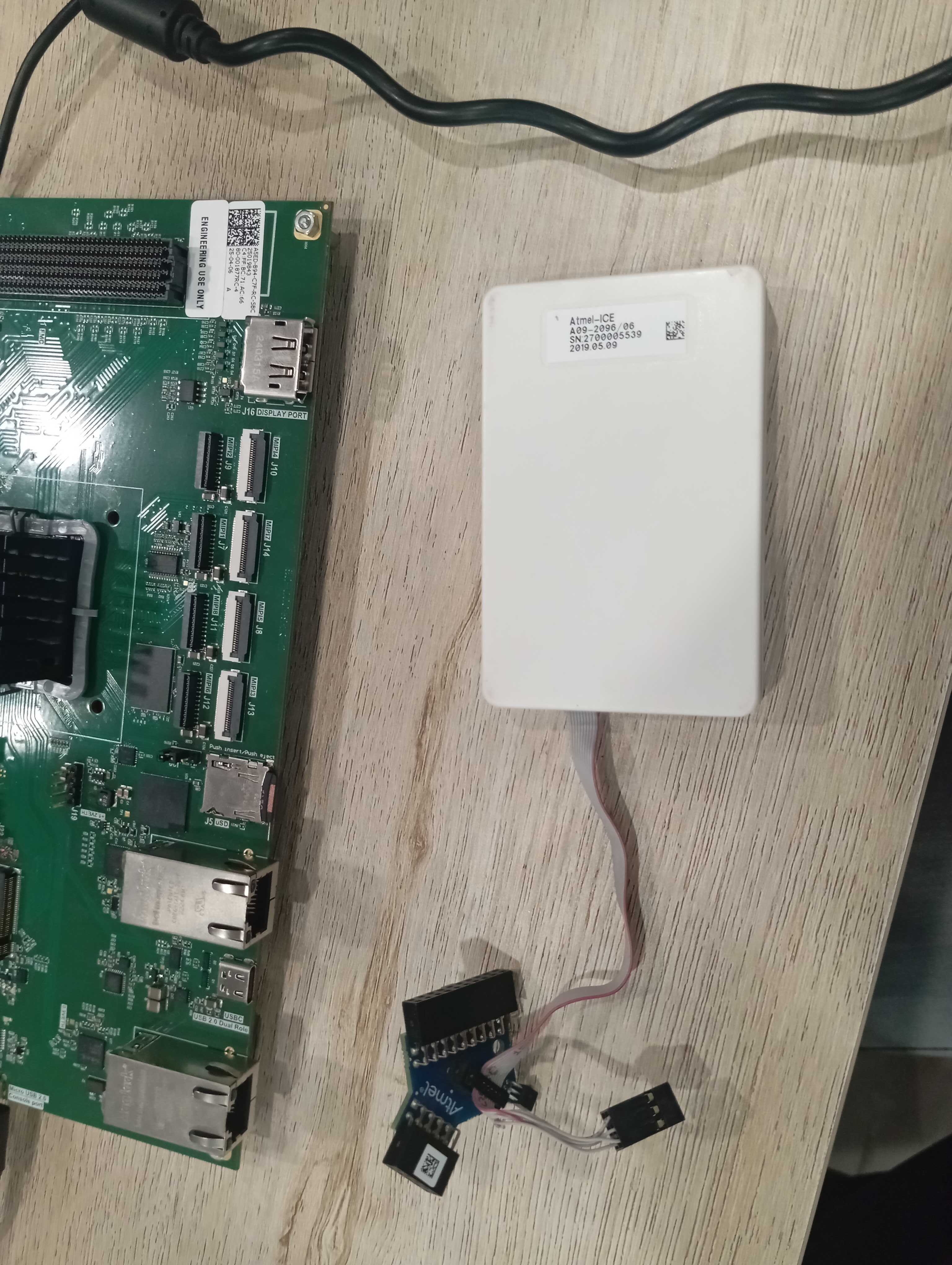
MW RE: rbf files from example project gives Error while booting - Added by Michael Williamson about 2 months ago
Hello,
I am sorry for the inconvenience.
You should be able to use this device instead of a Blaster device if that is a problem:
https://www.digikey.com/en/products/detail/trenz-electronic-gmbh/TEI0004-02/22081849
If it is quicker or easier to get.
I don't think Quartus will support the Atmel-ICE programmer.
With regards,
Mike